

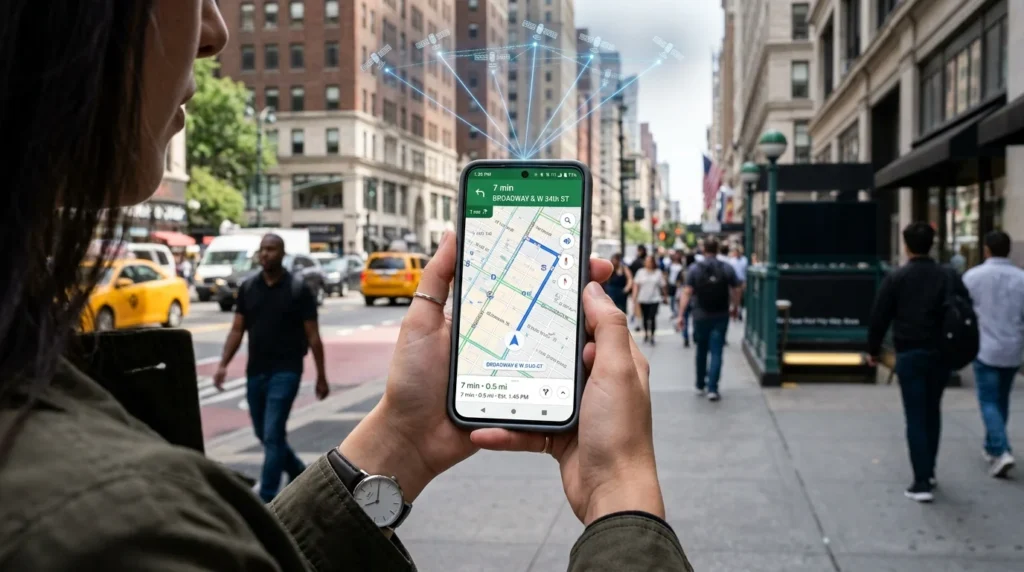
Location services are device features that estimate your phone, tablet, or computer’s location. They combine signals from GPS satellites, Wi-Fi networks, cell towers, Bluetooth, and device sensors. Apps can use that position for maps, rides, weather, search, safety tools, and other location-aware features.
| Key fact | What it means |
|---|---|
| Main purpose | Estimate your device’s position |
| Main signals | GPS, Wi-Fi, cell towers, Bluetooth, and sensors |
| Precise access | Gives an app a more specific position |
| Approximate access | Shares a broader area instead |
| Best privacy control | Give each app only the access it needs |
| Turning it off | Stops many apps from using the device’s location data |
Key takeaways
- GPS is only one way your device determines its position.
- iPhone and Android let you control access for individual apps.
- Approximate access is often enough for weather, news, and similar apps.
- Turning off device location doesn’t prevent all forms of location estimation.
- Background and precise access deserve the closest review.
How Location Services Work on Modern Phones
Your phone doesn’t depend on a single positioning method. It compares several available signals to estimate your location. Apple says its devices can use GPS, Bluetooth, Wi-Fi hotspots, and cellular towers. Google describes a similar system on Android. Android can also use sensors such as accelerometers and gyroscopes to improve its location estimate.
| Signal | Where it helps | Main limitation |
|---|---|---|
| GPS | Navigation and outdoor positioning | Satellite signals can weaken indoors |
| Wi-Fi | Indoor and urban positioning | Depends on nearby network information |
| Cellular towers | Broad-area positioning | Usually less specific than strong GPS |
| Bluetooth | Nearby devices and beacon-based features | Works only when compatible signals are nearby |
| Device sensors | Detecting movement and supporting positioning | Can’t identify your position alone |
Google notes that GPS reception may be obstructed indoors or near large buildings. Wi-Fi, cellular data, and sensors can help fill those gaps.
GPS Is Only One Part of the System
GPS and device location aren’t the same thing. GPS uses signals from satellites. Your phone can combine those signals with nearby Wi-Fi networks, cell towers, Bluetooth devices, and other information. That combined approach helps when satellite reception is poor. This distinction also explains why disabling GPS alone doesn’t always remove every location clue. A service may still estimate your general area from a network connection or IP address.
Precise, Approximate, and Background Access
Modern phones give you more control than a simple on-or-off switch. On iPhone, an app can receive options such as Never, Ask Next Time, When I Share, While Using the App, or Always. Apple also lets you disable Precise Location for an app. The app then receives a less specific position.
Android also supports precise and approximate permissions on recent versions. You can decide whether an app receives a more specific position or only a broader area. Background access deserves extra attention. An app with that permission may obtain location information even when you’re not actively using it.
For navigation, family-safety, or device-finding tools, that may be useful. A calculator, casual game, or unrelated shopping app has a much weaker reason to request it.
Should You Keep Device Location On or Off?
For most people, the practical choice isn’t to disable the feature everywhere. A better approach is to keep useful device functions available while restricting individual apps.
Turning off the main setting can affect navigation, device-finding features, local recommendations, and apps that depend on your location. Google also states that apps won’t receive the device’s location through the normal system setting when it is disabled.
That doesn’t make your device invisible. Google says an IP address may still provide an approximate area for local results or advertising. Microsoft similarly notes that apps and services can sometimes infer location through IP addresses, Bluetooth, cellular connections, or other methods.
Emergency functions can also behave differently. Documentation for Android and Windows notes that location information may still be provided during emergency communications in supported situations.
A Simple Permission Rule for Common Apps
The safest setting isn’t identical for every app. Start with what the app needs to perform the feature you want.
| App type | Sensible starting point | Why |
|---|---|---|
| Maps and navigation | Precise while using | Turn-by-turn directions need your position |
| Ride-hailing | Precise while using | Pickup points need good accuracy |
| Weather | Approximate while using | A general area is usually enough |
| Social media | Never or approximate | Exact access may be unnecessary |
| Shopping and retail | Never or approximate | Local offers rarely require constant tracking |
| Family safety tools | Background only when intentional | Continuous access is part of the chosen feature |
Treat this as a permission test rather than a fixed rule. Ask one question: Would the feature still work if the app knew less about where I am?
If the answer is yes, reduce its access.
Why Location Privacy Deserves Attention in 2026
Precise movement data can reveal more than a city or ZIP code. A repeated trail may expose where someone lives, works, receives medical care, worships, or spends time privately.
The Federal Trade Commission highlighted that risk again in May 2026. It announced a proposed settlement involving Kochava over allegations concerning sensitive geolocation data. The proposed order restricts certain sales or disclosures without affirmative express consent.
Device permissions are only one layer of privacy. Websites may also receive information such as IP addresses and cookie data. NewsDean explains its own use of these technologies in its Privacy Policy.
Privacy rules and enforcement can also change. NewsDean’s Law section provides a place to keep up with broader legal coverage.
How to Review Your Phone’s Settings
You don’t need to remove every permission. Review the apps with the greatest access first.
- On iPhone: open Settings, then Privacy & Security, then Location Services. Choose an app and review its access level. You can also switch Precise Location off when a broad area is enough.
- On Android: open Settings, then Location. From there, review app permissions and choose precise or approximate access if your Android version supports those options.
Pay special attention to apps that are allowed to access your location all the time. Then check apps that have precise access but don’t need street-level information. Revisit these permissions every few months. Apps you stopped using may still have permissions you granted long ago.
Take Control of What Your Apps Can See
You don’t have to choose between useful phone features and privacy. Keep the services you depend on, then reduce unnecessary precise and background permissions. Start with maps, social apps, shopping apps, weather tools, and anything you haven’t used recently. A five-minute permission review can reduce the number of apps with access they don’t need. Related reading: TIL Meaning.
For more consumer technology and privacy coverage, browse NewsDean.
Frequently Asked Questions
They are system features that estimate a device’s location by combining technologies such as GPS, Wi-Fi, cellular networks, Bluetooth, and sensors. Apps then receive access based on the permissions you grant.
No. GPS is one positioning source. Phones can combine satellite signals with Wi-Fi, cellular towers, Bluetooth, and sensor data to calculate a position.
They may still estimate a broader area through information such as an IP address or network connection. Some emergency features can also share position information under specific circumstances.
No. Give precise access only when the feature needs it. Navigation and ride pickup are common examples. Weather or general local content can often work with an approximate area.

